


WebSpellChecker provides a method to implement spell checker with red wave highlight.
In this topic, you will learn how to implement spell checker.
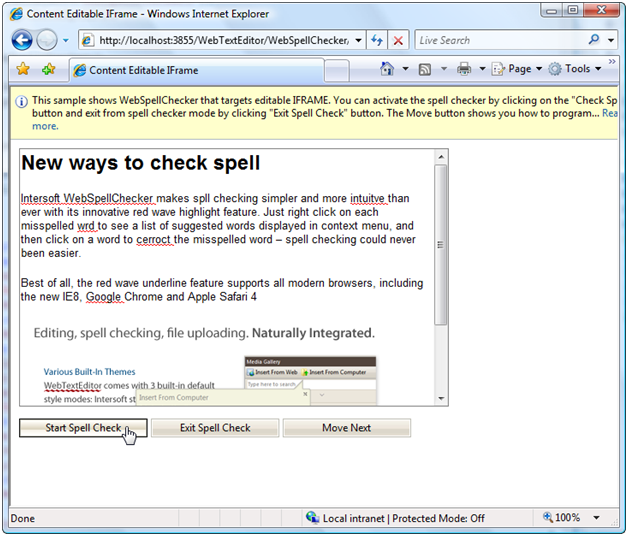
To implement spell checker with red wave highlight
- Create an editable IFRAME.
- Drag HTML button and WebSpellChecker controls to the WebForm.
- Set WebSpellChecker's TargetControlId property to IFRAME's id and TargetControlIdValue to innerHTML.
- Create a function called AddSpellChecker() and use CheckSpell() method to implement spell checker.
JavaScript  Copy Code
function AddSpellChecker() { var sp = ISGetObject("WebSpellChecker1"); var text = sp.CheckSpell(); }
- Invoke AddSpellChecker() function from HTML button.
 See Also
Tasks
{How-to: Implement spell checker with WebDialogBox}
Other Resources
{User Interface}